
.svg)


Three years ago, we connected Botify's database to ChatGPT for the first time. The results were both promising and frustrating. The model could see our data, but it had been trained to answer queries as fast as possible. If you asked it something difficult, it would quickly review the question, retrieve the most accessible potential answer, and then stop. Not very useful, but even then, we were convinced that agents would become the future of search and marketing work. What we were missing was a model that was willing to keep going to find the best possible answer.
Now here we are, just a few years later, with today's frontier models that are trained to match their reasoning to the complexity of the prompt. We can send them on long investigations across a site's entire collection of data, including crawl, server logs, AI visibility, Search Console, visits, sitemaps, products feeds, or your own uploaded data, and let them reconcile it all — work even a veteran SEO manager would struggle to do manually.
In our announcement last week about the Botify MCP becoming generally available, our CEO, Adrien Menard, shared what this milestone means for your organization. Today, we’ll go under the hood, and show you what the MCP actually gives your agents, why the full data chain makes it work, and what you can do with it, agent by agent.
What the Botify MCP gives your assistants
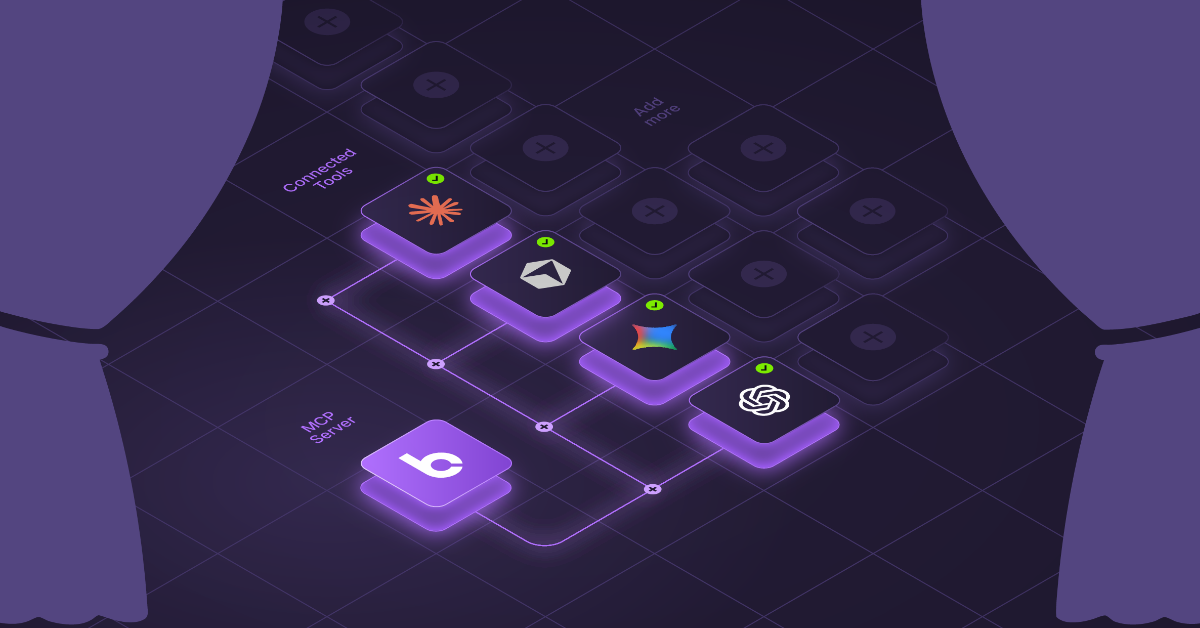
MCP is the open standard that lets an AI assistant plug into outside software. You can connect Claude, ChatGPT, Cursor, Dust, or your own MCP-compatible agent to Botify. Your assistant then gets a set of agents that do three things:
- Query your Botify data model: This covers everything from crawl data, server logs, Search Console and Google Analytics, Adobe Analytics, AI Visibility and GEO, sitemaps, product feeds, and PageWorkers and SpeedWorkers delivery data.
- Read HTML and JavaScript: The agents can read pages on your site or outside it, including the JavaScript-rendered version, so the assistant sees what's actually on the page and not just what a report summarizes.
- Draft optimizations and push them live in the platform: This turns findings into on-page changes ready to deploy.
You can use this in two ways. The first is interactive: audits and investigations you run in conversation. The second is scheduled: AI workflows that analyze your data and draft page updates that you can publish on your website without submitting a ticket and waiting on engineering teams.
Why your data makes the difference
For 15 years, we've offered a unique benefit to our customers across our suite of solutions: a unified data model. Your crawl data, site logs, visits, Search Console data, and now AI visibility metrics all live in one place rather than fragmented between multiple dashboards and tools.
In practice, though, the difference between simply having the data and using that data still took some expertise. You had to know which table held what, how to join log data to crawl segments, and which Search Console dimensions lined up with which templates.
The Botify MCP removes that bottleneck, letting an LLM navigate every source on its own. It can discover the schema and write the queries, and follow the evidence from one dataset to the next, without anyone needing to know the internal table names.
This matters because correlation and root cause analysis depend on your full chain of data. Botify is the only AI discoverability and agentic commerce platform that can join a site's entire HTML inventory with log, visit, Search Console, and AI visibility data. Other tools cover a slice of that chain, which can show you a symptom of a bigger problem, but it can't show you the cause.
Take, for example, experiencing a drop in organic visits to a product category. With just a slice of the data, you can see that the drop is happening, but you can’t see why, and you have to start making guesses. With the full chain of data, your assistant can trace the issue step by step:
- Search Console shows impressions falling for the category's core queries.
- Your logs show Googlebot visiting those URLs less often, starting two weeks earlier.
- The crawled HTML shows that product listings stopped appearing in the JavaScript-rendered page after a template change.
Without every piece of the puzzle, the diagnosis will be incomplete at best — and wrong at worst. With a complete view of your first-party data and supplemental third-party data, your assistant can identify the issue and determine the right next step in a single conversation.
What you can do, agent by agent
Below is a video showing you how you can use it to analyze and fix internal links and some of the agents available through the Botify MCP today, organized by the jobs they perform. You don’t need to reference them by name — simply ask your question in plain language, and your assistant will select the right agents, often combining several to deliver the answer.
The last group of agents is what separates the Botify MCP from other connectors that can only report, not act.
For example, here's a realistic workflow that you can have all in one conversation using Botify MCP: You ask your assistant to find in-stock product pages that are missing FAQ content, and then add FAQs to them. It then works through six steps:
- It queries the data model to build the URL list.
- It extracts the relevant product details from the crawled HTML.
- It runs an analysis of your keyword and GEO performance to find content opportunities.
- It tests an FAQ template on a real page with the preview agent.
- It creates a PageWorkers optimization.
- It pushes the full dataset into that optimization.
What would have taken at least one ticket, multiple spreadsheets with matching errors, and likely a sprint can happen in a single session.
How teams are using it today
Teams are already putting the Botify MCP to work in a few ways:
- Full audits at the end of every crawl: When a crawl completes, the assistant generates a complete audit, so findings are ready as soon as the data is.
- Weak-signal detection on Google Search Console data: The assistant spots pages starting to trend up, pages losing momentum, and product seasonality beginning to shift.
- Full product feed audits: The assistant runs a complete audit of the product feed, drawing on the AgenticCatalog product feed data in the Botify data model.
- Root cause analysis: The assistant works out why load times have increased, why content has dropped out of the JavaScript rendering, or why visits spiked or fell on one specific day.
Each of these use cases is the kind of long, multi-source investigation we had in mind when we first connected our data to an AI model three years ago, and today teams can actively run them without piecing the data together themselves.
Get connected with the Botify MCP
Connecting the Botify MCP takes minutes, and an admin has to add it only once. They can search for Botify in the AI tool's connector catalog, or add it as a custom connector at https://mcp.botify.com/.
Each person can then sign in with their own Botify account, and existing permissions carry over, so everyone can see only the projects they could already access in Botify.
Once connected, it works with the assistants you already use, including Claude, ChatGPT, Cursor, Dust, and any custom agent built on the MCP spec. To get answers, you need at least one crawl, and log questions need log data integrated with your project.
The full setup guide walks you through the process. If you joined our tech preview, follow these steps to migrate to the new connection.
Ready to test out everything the Botify MCP can do, or have questions? Request a demo or talk to your account manager today.

.svg)


.svg)
